

Day of the Year Calculator: How to Find the Exact Day Number
A Day of the Year Calculator is a simple and useful tool that helps you determine the exact day number of any date within a calendar year. Instead of manually counting days from January 1, you can use this calculator to find whether a date falls on the 50th, 150th, or 300th day of the year. It is helpful for students, teachers, researchers, office workers, project managers, and anyone who needs accurate date calculations.
Every year contains 365 days, while a leap year contains 366 days. The day number changes depending on the date and whether February has 28 or 29 days. A reliable day of the year calculator makes this process faster and reduces mistakes when working with deadlines, schedules, annual reports, and personal goals.
What Is a Day of the Year Calculator?
A Day of the Year Calculator calculates the numerical position of a specific date within a calendar year. January 1 is always day 1, while December 31 is day 365 in a regular year and day 366 in a leap year.
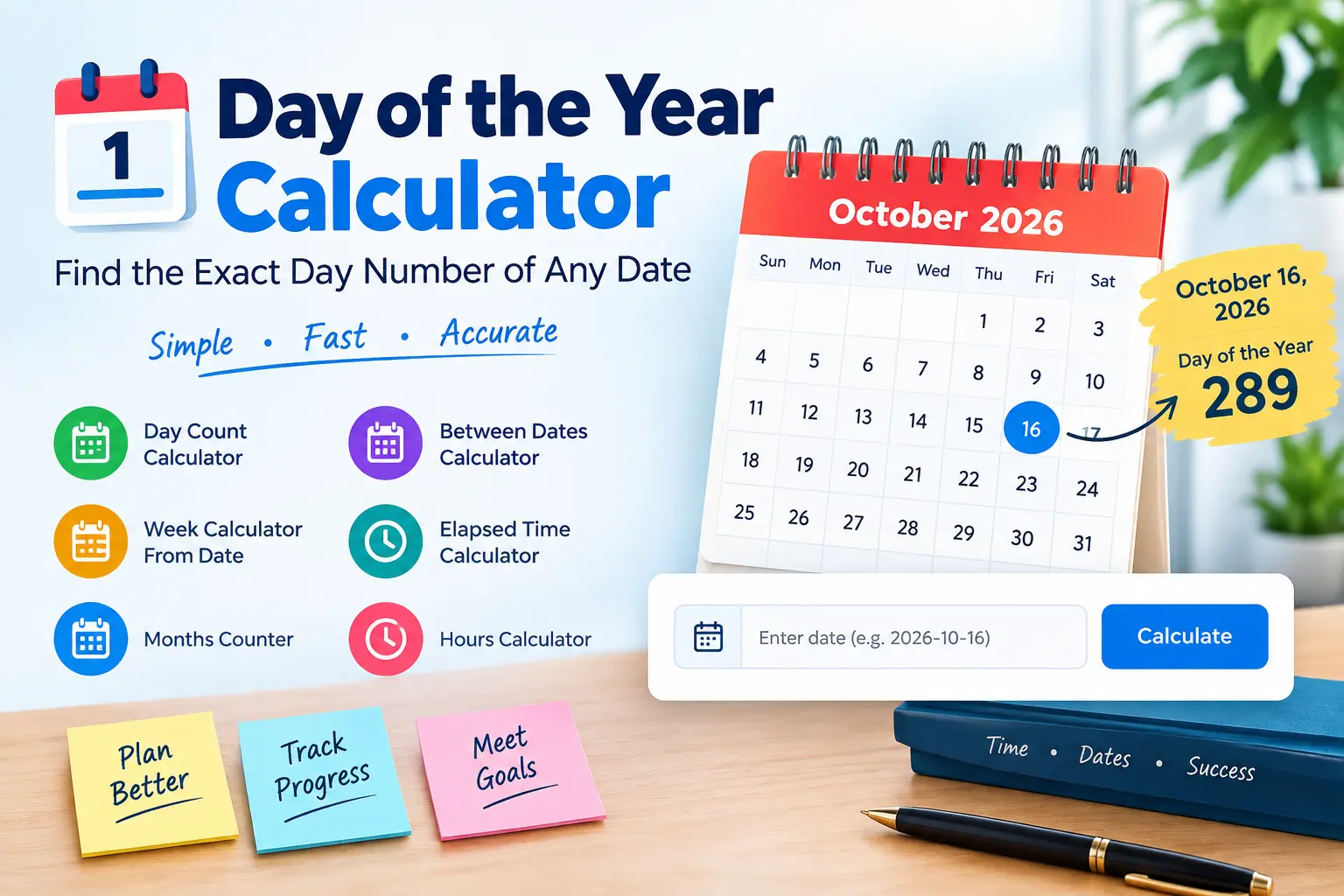
For example, if you want to know the day number of October 16, the calculator counts all the days from January 1 through October 16, including the selected date. In a regular year, October 16 is day 289. In a leap year, it is day 290.
This tool is especially useful when you need to compare dates, calculate annual progress, or determine how many days have passed since the beginning of the year.
How Does a Day of the Year Calculator Work?
A day of the year calculator adds the days in all the completed months before the selected date and then adds the day of the current month.
For example, to calculate the day number for April 15 in a regular year:
-
- January contains 31 days.
-
- February contains 28 days.
-
- March contains 31 days.
-
- April contributes 15 days.
The calculation is:
31 + 28 + 31 + 15 = 105
Therefore, April 15 is the 105th day of the year in a regular year.
In a leap year, February contains 29 days, so April 15 becomes the 106th day.
Day of the Year Calculator Examples
The following table shows the day number for selected dates in a regular year.
| Date | Day of the Year |
| January 1 | 1 |
| February 1 | 32 |
| March 1 | 60 |
| April 15 | 105 |
| June 30 | 181 |
| September 1 | 244 |
| October 16 | 289 |
| December 31 | 365 |
Important: In a leap year, dates from March 1 onward have a day number that is one higher than in a regular year.
How to Find the Day Number of Any Date
You can calculate the day number manually or use an online calculator. Follow these steps to get the correct result.
-
- Select your date: Choose the day, month, and year you want to calculate.
-
- Check the year type: Determine whether the selected year is a leap year.
-
- Count the completed months: Add the number of days in each month before your selected month.
-
- Add the selected day: Include the day of the month in your total.
-
- Confirm the result: Check that your answer falls between 1 and 365, or between 1 and 366 for a leap year.
An online Day of the Year Calculator performs these calculations automatically, saving time and reducing the chance of errors.
What Is the Difference Between a Regular Year and a Leap Year?
A regular year has 365 days, while a leap year has 366 days. The additional day is February 29, which affects the day number of every date from March 1 through December 31.
A year is generally a leap year if it is divisible by 4. However, century years must also be divisible by 400 to qualify. For example, 2000 was a leap year, but 1900 was not.
Understanding this difference is important when using a day count calculator, planning annual schedules, or determining how many days have passed since a particular date.
Related Date and Time Calculators
A day of the year calculator is useful on its own, but other date and time tools can help you solve more specific problems. Depending on your needs, you may also find the following calculators helpful.
1. Year to Date Calculator
A year to date calculator helps determine the period from the beginning of the current year to a selected date. It is useful for tracking annual progress, work performance, financial reporting periods, and personal goals.
2. Day Count Calculator
A day count calculator determines the number of days between dates or counts days within a selected period. It can help with project planning, assignment deadlines, and event preparation.
3. Between Dates Calculator
A between dates calculator calculates the number of days separating two dates. Depending on the tool, you can choose whether to include the start date, end date, or both in the total.
4. Week Calculator From Date
A week calculator from date helps determine the week number, calculate future or past weeks, or find the date associated with a particular week. It is useful for academic schedules, work planning, and weekly reporting.
5. Month Counter
A month counter calculates the number of months between two dates. It can help you track subscription periods, employment durations, project timelines, and other long-term schedules.
6. Days Since Calculator
A days since calculator tells you how many days have passed since a specific date. You can use it to track anniversaries, completed projects, milestones, and other important events.
7. Time Clock Estimator
A time clock estimator helps estimate working hours based on start times, end times, and breaks. It can be useful for shift planning, attendance tracking, and calculating approximate work durations.
8. How to Find Time Between Two Events
If you are wondering how to find time between two events, you need to compare their start and end dates or times. For short periods, subtracting the start time from the end time may be sufficient. For longer periods, a date and time calculator can account for days, months, and years.
9. Elapsed Time Calculator
An elapsed time calculator measures the time that has passed between a starting point and an ending point. It can calculate durations in hours, minutes, and seconds or help determine longer periods involving dates.
10. 2 Weeks Ago From Today
Searching for 2 weeks ago from today is a common way to find a past date. Two weeks equal 14 days, so subtracting 14 calendar days from today’s date gives the required result. This calculation can help with appointment records, task histories, and recent event tracking.
11. How Many Days Has Passed This Year?
The question how many days has passed this year refers to the number of calendar days that have elapsed since January 1. If you count the current date as a completed day, the day number gives the total. If you count only fully completed days before today, subtract one from the day number.
12. How Many Days Left in the Year?
The question how many days left in the year can be answered by subtracting the current day number from 365 in a regular year or 366 in a leap year. This method counts the days after the selected date, excluding the selected date itself.
13. Hours Calculator
An hours calculator helps calculate the duration between two times or add and subtract hours and minutes. It is useful for work schedules, study sessions, travel planning, and everyday time management.
Why Is Knowing the Day of the Year Important?
Knowing the exact day number can be valuable in several situations.
-
- Project management: Track progress against annual goals and scheduled milestones.
-
- Education: Solve calendar-based mathematics problems and organize academic activities.
-
- Business reporting: Identify specific days for annual performance comparisons.
-
- Scientific research: Record observations using sequential day numbers.
-
- Personal planning: Monitor habits, challenges, and long-term objectives.
-
- Agriculture and gardening: Track seasonal activities and observation schedules.
-
- Software development: Work with date formats that use the year and day number, such as year-day notation.
The day number offers a standardized way to identify a date without writing the full month and day.
Frequently Asked Questions
1. What is the day of the year today?
The answer depends on the current date and whether the year is a leap year. For example, October 16, 2026, is day 289 of the year, because 2026 is not a leap year.
2. How many days are in a year?
A regular calendar year contains 365 days, while a leap year contains 366 days because February has an additional day.
3. Is the day of the year the same as the day of the week?
No. The day of the year identifies a date’s numerical position within the year, while the day of the week identifies whether it is Monday, Tuesday, Wednesday, or another weekday.
4. How do I calculate the day of the year in Excel?
You can use the following formula, assuming the date is stored in cell A1:
=A1-DATE(YEAR(A1),1,0)
This formula returns the day number of the selected date, accounting for leap years automatically.
5. Does the day of the year change in a leap year?
Yes. March 1 and all subsequent dates have a day number one higher in a leap year compared with the same dates in a regular year.
6. Can I use a day of the year calculator for past and future dates?
Yes. Most day of the year calculators can calculate the day number for past, current, and future dates, provided you enter a valid calendar date.
Conclusion
A Day of the Year Calculator is a practical tool for finding the exact numerical position of any date within a calendar year. It makes date calculations easier, accounts for leap years, and helps users manage schedules, deadlines, and annual progress. Whether you need a year to date calculator, a day count calculator, an elapsed time calculator, or a tool to find how many days has passed this year, understanding calendar calculations can save time and improve accuracy.
If you want to calculate a date quickly without counting days manually, use an online Day of the Year Calculator. Simply enter your preferred date to find its day number and make your date-related calculations easier and more accurate.
If you want to calculate the exact day number of any date, use our Day of the Year Calculator for quick and accurate results. Simply click the link provided below, enter your desired date, and find out which day of the year it is. Our tool makes date calculations simple, helping you save time and avoid manual counting.