

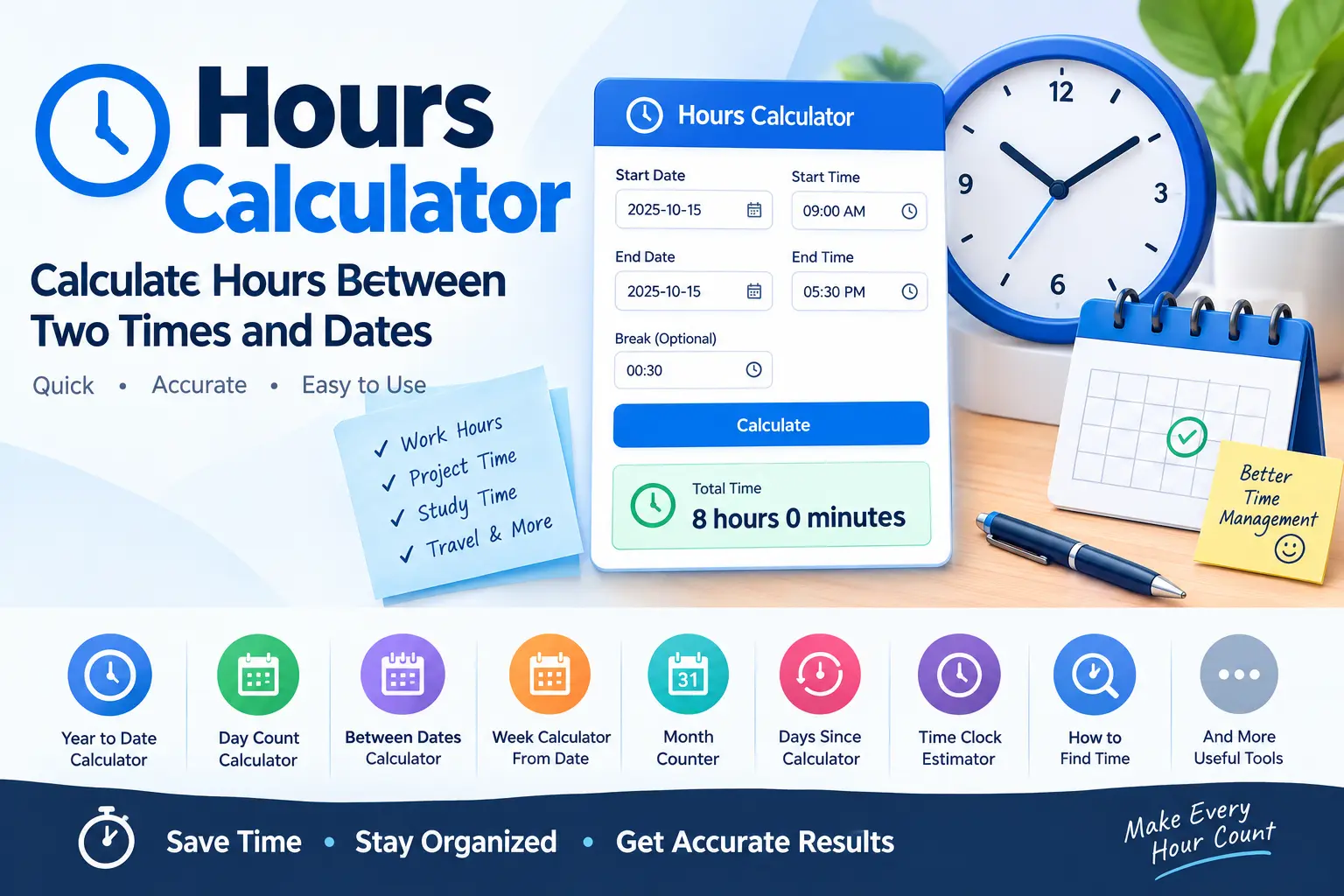
Hours Calculator: How to Calculate Hours Between Two Times and Dates
An hours calculator is a useful online tool that helps you calculate the number of hours and minutes between two times or dates. Whether you need to track working hours, calculate the duration of a project, measure study time, or determine how much time has passed since a particular event, an hours calculator makes the process simple and accurate.
Calculating time manually can become confusing when the duration crosses midnight, spans multiple days, or includes different start and end dates. A reliable hours calculator helps you determine the total time quickly without complicated calculations. It can also support everyday tasks such as employee timesheets, work schedules, travel planning, and personal time management.
What Is an Hours Calculator?
An hours calculator is a time calculation tool that determines the duration between a starting time and an ending time. Depending on its features, it can calculate hours, minutes, seconds, and even the total duration across multiple days.
For example, if you start working at 9:00 AM and finish at 5:30 PM, the total duration is 8 hours and 30 minutes before subtracting any unpaid breaks.
An hours calculator can be helpful for:
-
- Work hours calculation: Determine how long you have worked during a shift.
-
- Time tracking: Calculate the duration of daily activities and projects.
-
- Study planning: Measure the time spent studying or completing assignments.
-
- Project management: Estimate the time required to finish specific tasks.
-
- Date and time calculations: Find the total duration between two dates and times.
-
- Personal scheduling: Organize your daily routine more effectively.
Using a calculator reduces manual errors and makes it easier to manage time accurately.
How to Use an Hours Calculator
Using an hours calculator is straightforward. Most online tools require a starting time and an ending time to calculate the total duration.
Follow these steps to calculate hours accurately:
-
- Enter the start time: Select the time when your activity begins.
-
- Enter the end time: Choose when the activity finishes.
-
- Select the dates if needed: For calculations spanning multiple days, enter the appropriate start and end dates.
-
- Account for breaks: Subtract unpaid breaks if you want to calculate actual working hours.
-
- Calculate the result: Use the calculator to find the total hours and minutes.
For example, suppose your working hours are from 8:30 AM to 4:45 PM. The total time between these two points is 8 hours and 15 minutes. If you take a 30-minute unpaid break, your actual working time becomes 7 hours and 45 minutes.
This approach is useful for employees, freelancers, students, and anyone who needs to measure time accurately.
How to Find Time Between Two Hours
If you want to learn how to find time between two points, you can subtract the starting time from the ending time.
For example:
-
- Start time: 10:15 AM
-
- End time: 3:45 PM
-
- Total duration: 5 hours and 30 minutes
When both times fall on the same day, the calculation is usually simple. However, if your activity continues past midnight, you must account for the change of day.
For example, a shift that starts at 10:00 PM and finishes at 6:00 AM the next day lasts 8 hours.
An online hours calculator can handle these situations automatically, making it especially useful for night shifts, overnight projects, and international schedules.
Hours Calculator for Work and Payroll
An hours calculator is particularly useful for tracking employee working hours and preparing timesheets. Employers, freelancers, and independent contractors can use it to calculate the total time spent on different tasks.
Suppose an employee works the following schedule:
| Workday | Start Time | End Time | Total Hours |
| Monday | 9:00 AM | 5:00 PM | 8 hours |
| Tuesday | 9:00 AM | 5:30 PM | 8.5 hours |
| Wednesday | 8:30 AM | 4:30 PM | 8 hours |
| Thursday | 9:00 AM | 5:00 PM | 8 hours |
| Friday | 9:00 AM | 4:00 PM | 7 hours |
| Total | 39.5 hours |
These totals assume there are no unpaid breaks to deduct. If breaks are unpaid, they should be subtracted before calculating the final working hours.
For freelancers, this method also helps estimate billable hours, compare project durations, and maintain accurate client records.
Hours Calculator vs. Elapsed Time Calculator
An elapsed time calculator measures the amount of time that passes between a starting point and an ending point. An hours calculator focuses on expressing that duration in hours and minutes, although many tools support both functions.
For example, if a meeting starts at 1:20 PM and ends at 2:50 PM, the elapsed time is 1 hour and 30 minutes.
The two tools are useful for similar purposes, including:
-
- Measuring the duration of meetings.
-
- Calculating time spent on projects.
-
- Tracking work shifts.
-
- Finding the time between events.
-
- Calculating the duration of activities that cross midnight.
If you need to calculate a duration involving both dates and times, choose a tool that supports complete date-and-time inputs.
Related Time and Date Calculators
In addition to an hours calculator, several other online tools can help you calculate dates, durations, and time intervals. Each tool serves a different purpose, depending on the information you want to find.
1. Year to Date Calculator
A year to date calculator helps determine how much time has passed from the beginning of the current year to a selected date. It is useful for tracking annual progress, reviewing work completed, and calculating time elapsed during a calendar year.
2. Day Count Calculator
A day count calculator determines the number of days between two dates or counts the days within a selected period. It is useful for planning events, tracking deadlines, and calculating the duration of a project.
3. Between Dates Calculator
A between dates calculator finds the duration between a starting date and an ending date. Depending on the tool, the result may include the total number of days, weeks, months, or years.
4. Week Calculator From Date
A week calculator from date helps determine the number of weeks between dates or identify a date that falls a specified number of weeks before or after a starting date. It is helpful for scheduling appointments, planning projects, and organizing weekly activities.
5. Month Counter
A month counter calculates the number of months between two dates. It can be useful for tracking subscriptions, measuring project timelines, and calculating the duration of long-term plans.
6. Days Since Calculator
A days since calculator tells you how many days have passed since a specific event or date. You can use it to track anniversaries, project milestones, personal achievements, or the time since an important event.
7. Time Clock Estimator
A time clock estimator helps estimate work durations by using clock-in and clock-out times. It is especially useful for employees, shift workers, freelancers, and businesses that need to maintain time records.
8. 2 Weeks Ago From Today
The 2 weeks ago from today calculation identifies the date exactly 14 days before the current date. It can help you review past events, check previous deadlines, or determine when something happened two weeks earlier.
9. How Many Days Has Passed This Year?
If you want to know how many days has passed this year, you need to count the days from January 1 through your selected date. This calculation is helpful for measuring annual progress and determining how far you are into the current year.
10. Day of the Year Calculator
A day of the year calculator identifies the ordinal day number for a particular date. For example, January 1 is day 1, while December 31 is day 365 in a common year and day 366 in a leap year.
11. How Many Days Left in the Year?
The how many days left in the year calculation tells you how much of the current calendar year remains. It can help you set goals, plan upcoming activities, and monitor progress toward annual targets.
These tools complement an hours calculator by helping you work with longer time periods, calendar dates, and different types of duration calculations.
How to Calculate Hours Between Two Dates
Sometimes, calculating hours requires more than selecting two times on the same day. For example, you might need to determine the total number of hours between Monday morning and Wednesday afternoon.
To calculate the duration, first determine the total number of days between the dates. Convert those days into hours, then account for the starting and ending times.
Basic formula:
Total hours = (Total days × 24) + Difference between the time-of-day values
The time difference must be calculated consistently, including any partial days at the beginning or end of the period.
For example, from Monday at 9:00 AM to Tuesday at 9:00 AM, exactly 24 hours have passed. From Monday at 9:00 AM to Tuesday at 3:00 PM, 30 hours have passed.
For complex date ranges, an online calculator can save time and reduce the risk of mistakes.
Why Is an Hours Calculator Important?
Time is an important part of work, education, business, and everyday life. An hours calculator makes time tracking easier by converting start and end times into a clear duration.
Here are some key benefits:
-
- Saves time: Calculate durations without performing repeated manual calculations.
-
- Improves accuracy: Reduce mistakes when calculating hours and minutes.
-
- Supports productivity: Understand how much time different tasks require.
-
- Simplifies work records: Maintain clearer timesheets and shift records.
-
- Helps with planning: Estimate how much time remains for a task or activity.
-
- Works for different schedules: Calculate durations for daytime work, night shifts, and overnight activities.
The calculator is useful for both short intervals and longer periods when accurate time measurement matters.
Frequently Asked Questions (FAQs)
1. What is an hours calculator used for?
An hours calculator is used to determine the duration between two times or dates. It can calculate working hours, study sessions, meeting durations, project timelines, and other time intervals.
2. How do I calculate hours between two times?
Subtract the starting time from the ending time. If the activity crosses midnight, account for the next day. An online calculator can perform this calculation automatically.
3. Can an hours calculator calculate overnight shifts?
Yes. A calculator that supports overnight time intervals can calculate the duration between an evening start time and a morning end time on the following day.
4. How do I calculate working hours with breaks?
Calculate the total time between your start and end times, then subtract any unpaid breaks. For example, an eight-hour shift with a 30-minute unpaid break contains 7 hours and 30 minutes of working time.
5. Can I calculate hours between two dates?
Yes. Use a calculator that accepts both dates and times. It can calculate the total duration across multiple days, including partial days when the start and end times differ.
6. What is the difference between hours and elapsed time?
Hours describe a unit of time, while elapsed time describes the complete duration between two points. Elapsed time can be expressed in hours, minutes, seconds, or days.
7. Is an hours calculator useful for freelancers?
Yes. Freelancers can use an hours calculator to track client work, estimate billable time, organize project schedules, and maintain accurate records of the time spent on assignments.
Final Thoughts
An hours calculator is a practical solution for anyone who wants to calculate time intervals accurately and efficiently. From tracking work shifts to measuring project durations, it helps simplify calculations and improve time management. You can also combine it with a year to date calculator, day count calculator, between dates calculator, and elapsed time calculator to manage both short and long time periods.
If you want to calculate hours, measure elapsed time, or find the duration between two dates, click the provided link to use the calculator and get your result quickly and conveniently.