

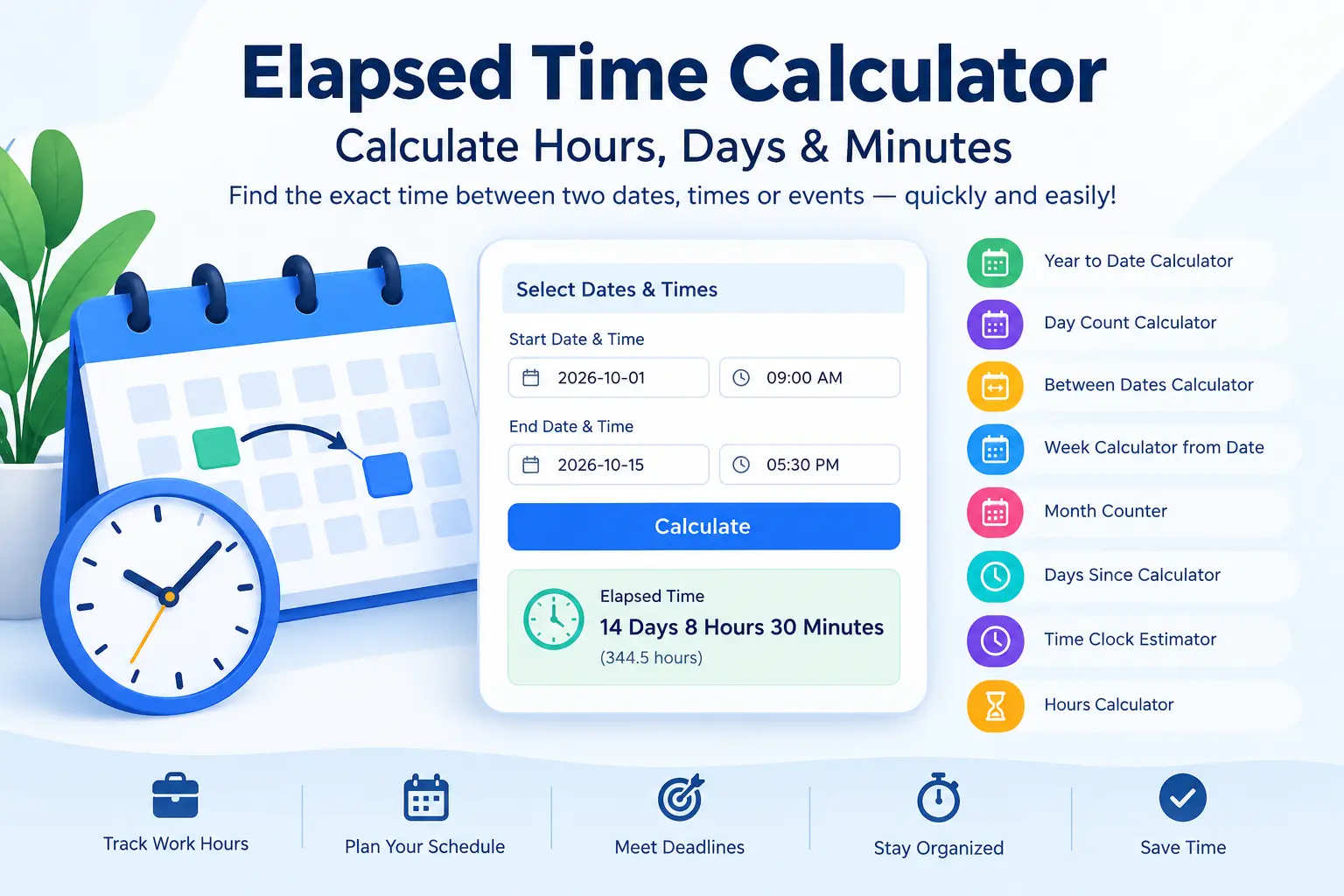
Elapsed Time Calculator: How to Calculate Time Between Two Dates and Times
An elapsed time calculator is a useful online tool that helps you determine how much time has passed between two dates, times, or specific events. Whether you want to calculate the number of hours between two meetings, find the days between important dates, or measure the duration of a project, this calculator makes the process simple and accurate.
Calculating elapsed time manually can sometimes be confusing, especially when the time period includes different months, leap years, or changes from AM to PM. An elapsed time calculator simplifies these calculations by providing results in days, hours, minutes, and seconds. It is helpful for students, employees, business owners, researchers, and anyone who needs to track time efficiently.
What Is an Elapsed Time Calculator?
An elapsed time calculator measures the duration between a starting point and an ending point. The starting point can be a date, a time of day, or a particular event, while the ending point represents when that period finishes.
For example, if a meeting begins at 9:15 AM and ends at 11:45 AM, the elapsed time is 2 hours and 30 minutes. Similarly, if a project starts on March 1 and finishes on March 15, you can calculate the number of days between those dates.
This tool is useful for:
-
- Time tracking: Measure the duration of work sessions and meetings.
-
- Date calculations: Find the number of days between two calendar dates.
-
- Project planning: Estimate how long a task or project will take.
-
- Event tracking: Calculate the time passed since a birthday, anniversary, or other event.
-
- Scheduling: Determine the duration between appointments and activities.
-
- Study planning: Track the time spent on assignments, examinations, and learning activities.
How Does an Elapsed Time Calculator Work?
An elapsed time calculator compares the starting date and time with the ending date and time. It then calculates the difference between the two values.
The basic formula is:
Elapsed Time = End Time − Start Time
For example, suppose you start studying at 2:30 PM and finish at 5:00 PM.
-
- Start time: 2:30 PM
-
- End time: 5:00 PM
-
- Total elapsed time: 2 hours and 30 minutes
For date-based calculations, the same principle applies. The calculator determines the difference between the starting and ending dates and displays the result in the appropriate units.
For accurate results, make sure you enter the correct starting and ending values. If the calculation crosses midnight, the ending time should be associated with the correct date.
Different Ways to Calculate Elapsed Time
Elapsed time can be measured in several ways, depending on the information you have and the result you need.
1. Calculate Elapsed Time in Hours and Minutes
An hours calculator helps you determine the total duration between two times. This is particularly useful for work shifts, school schedules, appointments, and daily activities.
For example, if you begin working at 8:00 AM and finish at 4:30 PM, the total elapsed time is 8 hours and 30 minutes. If you take an unpaid break, subtract that break to calculate your actual working hours.
An hours calculator can also help convert a duration into decimal hours when preparing timesheets or calculating billable work.
2. Calculate the Number of Days Between Dates
A day count calculator determines how many days separate two calendar dates. You can use it to measure the duration of a vacation, calculate project deadlines, or track the time between important events.
A between dates calculator provides a convenient way to compare two dates without manually counting every day on the calendar.
For example, if an event starts on April 10 and ends on April 20, the standard date difference is 10 days. If you want to count both the starting and ending dates, the inclusive count is 11 days.
Always check whether your calculation should include both endpoints, because this can change the final result.
3. Calculate Weeks Between Dates
A week calculator from date helps you determine the number of weeks and remaining days between a starting date and an ending date.
For example, a period of 23 days contains 3 complete weeks and 2 additional days.
This calculation is useful for:
-
- Planning weekly projects.
-
- Tracking study schedules.
-
- Calculating the duration of trips.
-
- Measuring the time between appointments.
-
- Organizing personal goals and activities.
4. Calculate Months Between Dates
A month counter measures the number of months between two dates. It can help you track subscriptions, work anniversaries, project timelines, and other long-term activities.
However, months do not all have the same number of days. Some months contain 30 days, others 31 days, and February usually contains 28 days or 29 days during a leap year.
For this reason, calculating complete months is different from simply dividing the total number of days by 30. A reliable calculator should account for the actual calendar dates when determining months and remaining days.
Elapsed Time Calculator vs. Other Date and Time Tools
Several online calculators can help you measure time, but each serves a slightly different purpose.
| Calculator | Main purpose |
| Elapsed time calculator | Calculates the duration between two dates or times. |
| Year to date calculator | Measures the period from the beginning of the current year to a selected date. |
| Day count calculator | Counts the days between dates or within a selected period. |
| Between dates calculator | Compare two calendar dates. |
| Week calculator from date | Calculates weeks and remaining days. |
| Month counter | Measures months between calendar dates. |
| Days since calculator | Finds how many days have passed since a specific date. |
| Day of the year calculator | Identifies the position of a date within the calendar year. |
| Hours calculator | Calculates the duration in hours and minutes. |
Choosing the correct tool depends on whether you want to measure a precise time interval, count calendar days, or calculate the duration of a longer period.
How to Find Time Between Two Dates
If you want to understand how to find time between two dates, you can use a straightforward process.
-
- Choose the starting date and time. Identify when the event began.
-
- Choose the ending date and time. Enter when the event finishes or the period you want to measure ends.
-
- Check the date format. Make sure the day, month, and year are correct.
-
- Calculate the difference. Subtract the starting point from the ending point.
-
- Review the result. Check whether the duration is displayed in days, hours, minutes, or a combination of units.
For instance, if you want to calculate the time between 10:20 AM and 1:50 PM on the same day, the elapsed time is 3 hours and 30 minutes.
When calculating a period that crosses midnight, remember to include the next calendar day. For example, the duration from 10:00 PM to 2:00 AM the following day is 4 hours.
Days Since Calculator: Find How Many Days Have Passed
A days since calculator helps you determine the number of days that have passed since a particular event. Instead of counting dates manually, you can enter the event date and compare it with your chosen reference date.
Common uses include:
-
- Finding the number of days since a birthday.
-
- Tracking the time since a project started.
-
- Calculating days since a purchase or important event.
-
- Measuring how long ago a deadline occurred.
-
- Monitoring personal milestones and anniversaries.
For example, if you want to know how many days have passed since January 1, you can use a date calculator to compare January 1 with your selected date.
The result depends on the reference date and whether you count the starting day. This distinction is important when you need a precise day count.
What Does 2 Weeks Ago From Today Mean?
The phrase 2 weeks ago from today refers to the date exactly 14 days before the current date.
To calculate it, subtract 14 calendar days from today’s date. For example, if today is October 15, 2026, then two weeks ago was October 1, 2026.
This calculation is useful for reviewing past appointments, checking when an activity occurred, comparing records, and tracking recent events.
You can also use an elapsed time calculator or date calculator to find the date and determine the total time between that date and today.
Year to Date Calculator: Track Time From the Beginning of the Year
A year to date calculator measures the period from January 1 to a selected date in the current year. It can be used to calculate the number of days elapsed, track annual progress, and organize yearly schedules.
For example, if your reference date is October 15, 2026, the number of elapsed days since January 1, 2026, is 287 days, excluding January 1 itself from the elapsed-day count.
A year-to-date calculation is useful for:
-
- Tracking annual business performance.
-
- Measuring progress toward yearly goals.
-
- Reviewing work completed during the year.
-
- Calculating time elapsed since the start of the year.
-
- Planning upcoming tasks and deadlines.
A year to date calculator differs from an elapsed time calculator because it usually begins with the first day of the year rather than a user-selected starting date.
How Many Days Has Passed This Year?
If you want to know how many days has passed this year, compare January 1 with the date you want to evaluate.
For example, on October 15, 2026, 287 days have elapsed since the beginning of the year when counting the days after January 1. If you count October 15 as a numbered calendar day, it is the 288th day of 2026.
This difference occurs because elapsed-day counts and day-of-year numbers use different counting conventions.
A day count calculator can help you find the number of elapsed days, while a day of the year calculator identifies the ordinal position of a date within the year.
Day of the Year Calculator
A day of the year calculator tells you the number assigned to a particular date within its calendar year.
For example:
-
- January 1 is day 1.
-
- February 1 is day 32 in a common year.
-
- March 1 is day 60 in a common year.
-
- December 31 is day 365 in a common year and day 366 in a leap year.
This tool is helpful for annual reporting, scientific observations, scheduling, project tracking, and calculating yearly milestones.
It is important to account for leap years because February has an additional day in those years. Without this adjustment, calculations after February may be incorrect.
How Many Days Are Left in the Year?
The question of how many days left in the year can be answered by subtracting the current day-of-year number from the total number of days in that year.
For example, October 15, 2026, is the 288th day of a 365-day year. Therefore, 77 days remain after October 15, excluding the current day.
A day-of-year calculator or date calculator can help you determine the remaining time before December 31.
This calculation is useful for annual planning, school schedules, business targets, personal milestones, and year-end deadlines.
Time Clock Estimator for Work and Daily Activities
A time clock estimator helps estimate the duration of a work shift or activity by comparing its starting and ending times.
For example, if an employee starts work at 9:00 AM and finishes at 5:30 PM, the total elapsed time is 8 hours and 30 minutes. If the employee takes a 30-minute unpaid break, the actual working time is 8 hours.
A time clock estimator can help with:
-
- Preparing work timesheets.
-
- Calculating shift durations.
-
- Estimating billable hours.
-
- Reviewing daily schedules.
-
- Tracking time spent on different tasks.
For payroll purposes, always follow your workplace’s rules for breaks, overtime, rounding, and time recording. The total elapsed time may not be the same as the number of paid working hours.
Common Mistakes When Calculating Elapsed Time
Even simple time calculations can become confusing when dates, time formats, and calendar rules are involved.
Here are some common mistakes to avoid:
-
- Ignoring midnight: When a time interval crosses midnight, use the correct ending date.
-
- Confusing elapsed days with inclusive days: Decide whether to count the starting date, ending date, or both.
-
- Assuming every month has 30 days: Calendar months vary in length.
-
- Forgetting leap years: February has 29 days in a leap year.
-
- Mixing AM and PM: Verify the time format before calculating the duration.
-
- Ignoring time zones: When comparing events in different locations, account for their time zones.
-
- Confusing calendar days with working days: Weekends and public holidays may matter for business deadlines.
Avoiding these mistakes helps you obtain a more reliable result when using an elapsed time calculator.
Benefits of Using an Online Elapsed Time Calculator
An online elapsed time calculator makes date and time calculations faster and more convenient. Instead of manually converting hours into minutes or counting dates on a calendar, you can enter your information and review the result.
The main benefits include:
-
- Fast calculations: Calculate durations without lengthy manual work.
-
- Improved accuracy: Reduce mistakes in date and time arithmetic.
-
- Flexible time units: Measure results in days, hours, minutes, or seconds.
-
- Better planning: Organize work, study, and personal schedules.
-
- Easy date comparisons: Use a between dates calculator or day count calculator for calendar-based tasks.
-
- Convenient tracking: Measure time since a past event or estimate time remaining until a future date.
Whether you are planning a project, tracking an event, or calculating working hours, selecting the right calculator helps you manage time more effectively.
Frequently Asked Questions (FAQs)
1. What is an elapsed time calculator?
An elapsed time calculator measures the amount of time between a starting date or time and an ending date or time. It can display the result in hours, minutes, days, and other time units.
2. How do I calculate elapsed time manually?
Subtract the starting time from the ending time. If the calculation crosses midnight, include the next day. For longer periods, calculate the difference between the two calendar dates.
3. Can an elapsed time calculator calculate hours?
Yes. An hours calculator can determine the duration between two times and express the result in hours and minutes. Breaks can be subtracted separately when calculating working hours.
4. What is the difference between an elapsed time calculator and a day count calculator?
An elapsed time calculator can measure intervals in different time units, including hours and minutes. A day count calculator focuses on the number of days between dates or within a specified period.
5. How can I calculate how many days have passed since a date?
Enter the past date and your reference date into a days since calculator or between dates calculator. The tool calculates the date difference according to its counting method.
6. Is a year to date calculator the same as a day of the year calculator?
No. A year to date calculator measures the elapsed period from the beginning of the year to a selected date, while a day of the year calculator identifies the date’s numbered position in the calendar year.
7. Can I calculate time between two dates in weeks and months?
Yes. A week calculator from date can show complete weeks and remaining days, while a month counter can calculate calendar months between two dates.
8. Why can two day calculations give different answers?
Different results may occur because one calculation counts elapsed days while another includes both the starting and ending dates. Leap years and the selected time zone can also affect some calculations.
Conclusion
An elapsed time calculator is a practical tool for measuring the duration between dates, times, and important events. From calculating working hours to using a year to date calculator, day count calculator, between dates calculator, or days since calculator, the right tool can simplify everyday time management.
Understanding how to find time between two points also helps you avoid common mistakes involving midnight, leap years, calendar months, and inclusive date counting. Whether you need to calculate hours, weeks, months, or the number of days remaining in the year, an online calculator can make the process faster and easier.
If you want to calculate the exact time difference between two dates or times, use our Chronological Age Calculator and explore its date-based calculation features to make your calculations more convenient.